Bietrun wireless microphones offer convenient, high-quality audio solutions for karaoke, recordings, and presentations.
These UHF handheld and headset models, like the WXM02, WXM04, WXM06, WXM07, and WXM19,
provide stable signal transmission and are easily connectable to amplifiers and speakers via a 3.5mm jack.
User manuals and YouTube tutorials are available to guide proper usage and troubleshooting, ensuring optimal performance.
What is a Bietrun Wireless Microphone?
Bietrun wireless microphones are versatile audio devices designed for a wide range of applications, from karaoke and public speaking to professional audio recording. These microphones utilize UHF (Ultra High Frequency) technology to transmit audio signals wirelessly, offering freedom of movement and eliminating cable clutter.
Available in handheld and headset configurations – including models like the WXM02, WXM04, WXM06, WXM07, and the Bluetooth-enabled WXM19 – Bietrun microphones cater to diverse user needs. They typically include a rechargeable receiver and are designed for easy setup and operation, as detailed in their respective user manuals.
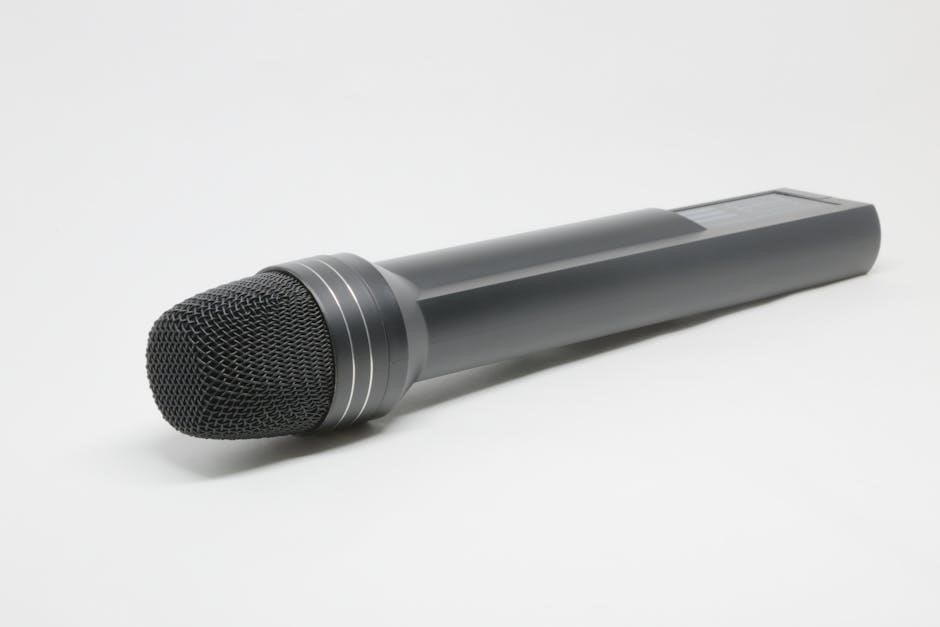
The metal dynamic handheld versions are particularly noted for their sensitivity and stable signal transmission.
Key Features and Benefits
Bietrun wireless microphones boast several key features enhancing user experience. These include stable UHF signal transmission, minimizing interference for clear audio. Rechargeable capabilities eliminate the need for constant battery replacements, offering convenience and cost savings. The availability of both handheld and headset models provides flexibility for various applications.
Furthermore, select models, like the WXM19, incorporate Bluetooth connectivity for wireless streaming. The 3.5mm jack connection ensures compatibility with a wide array of amplifiers and speakers. User manuals detail how to maximize these features, resulting in high-quality audio recordings and performances.

Understanding the Components
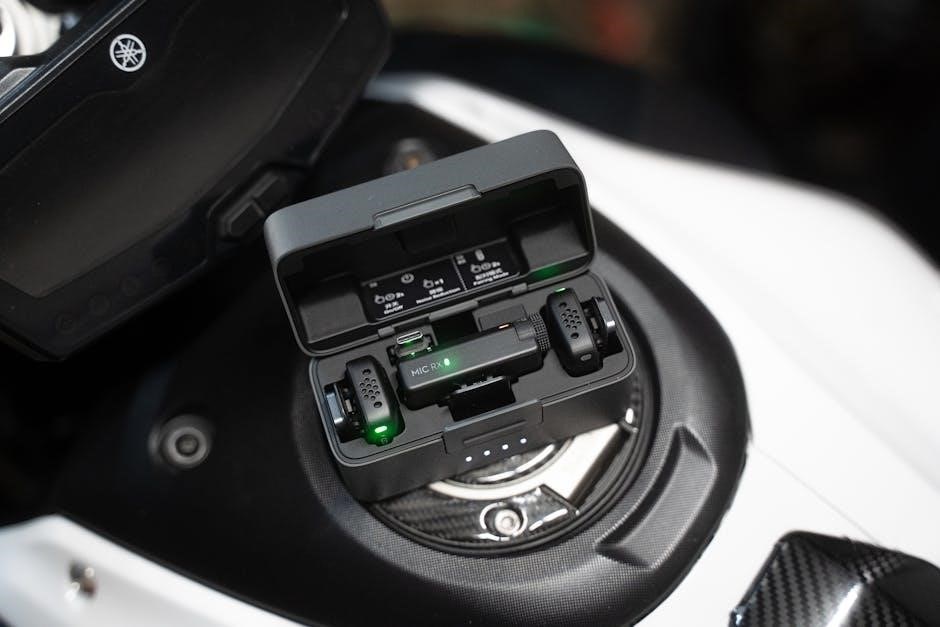
Bietrun microphone systems consist of a microphone unit, a receiver unit, and essential accessories like charging cables.
These components work together to deliver wireless audio functionality, as detailed in the user manuals.
Microphone Unit
The Bietrun microphone unit, available in handheld and headset versions (like the WXM07), is designed for sensitive audio capture. These units utilize UHF technology for stable signal transmission. The handheld models often feature a metal dynamic design, enhancing durability and sound quality.
User manuals detail proper handling to avoid feedback and ensure optimal performance. The WXM19 model incorporates Bluetooth connectivity, adding versatility. Weight varies by model, with the WXM07 weighing approximately 157g. Consistent operation relies on a fully charged battery, as outlined in the provided documentation.
Receiver Unit
The Bietrun receiver unit is a crucial component, receiving the signal from the microphone. It’s typically rechargeable and designed for easy connection to amplifiers or speakers. The receiver ensures stable signal transmission, vital for clear audio output.
User manuals emphasize the importance of proper pairing with the microphone unit. Frequency selection is often a key step in setup, minimizing interference. The receiver’s 3.5mm jack allows for broad compatibility with various audio systems. Maintaining a charged battery in the receiver is essential for uninterrupted use, as detailed in the provided guides.
Charging Cables and Accessories
Bietrun wireless microphone packages generally include charging cables, typically USB-based, for both the microphone and receiver units. These cables facilitate convenient recharging, ensuring continuous operation. The specific type of USB connector may vary between models, so referencing the user manual is crucial.
Beyond the charging cables, accessories can include microphone clips or windscreens, enhancing usability and audio quality. Proper battery care, as outlined in the documentation, extends the lifespan of both units. Always use the provided cables to avoid compatibility issues and potential damage.
Setting Up Your Bietrun Microphone
Initial setup involves powering on both the microphone and receiver, selecting a clear frequency, and pairing the devices. Connection to amplifiers or speakers utilizes the included 3.5mm jack.
Powering On/Off the Microphone and Receiver
To activate your Bietrun wireless microphone system, locate the power button on both the microphone unit and the receiver. Typically, a short press will power on the device, indicated by an LED light. Ensure both units are switched on before attempting to pair them.
Powering off follows a similar process – a short press of the power button on each unit will deactivate them. It’s recommended to power off the microphone when not in use to conserve battery life. Always turn off the receiver when not actively amplifying sound.
Frequency Selection and Pairing
Bietrun UHF wireless microphones utilize specific frequency bands for optimal performance. While many models automatically pair, some require manual frequency selection. Consult your user manual to identify available frequencies and avoid interference.
To pair, ensure both the microphone and receiver are powered on. The receiver typically has a button to initiate the pairing process. The microphone may also have a pairing button or automatically enter pairing mode upon power-up. A successful pairing is usually indicated by a stable LED light on both units.
If pairing fails, try different frequencies or move the microphone closer to the receiver during the pairing process.
Connecting to Amplifiers and Speakers
Bietrun wireless microphones primarily connect to amplifiers or speakers using a standard 3.5mm audio jack. Locate the 3.5mm input on your amplifier or speaker, typically labeled “Mic In” or “Line In”. Connect one end of a 3.5mm audio cable to the microphone receiver’s output and the other end to the amplifier/speaker input.
Ensure the amplifier or speaker is powered on and set to the appropriate input source (e.g., Mic or Line). Adjust the volume levels on both the microphone receiver and the amplifier/speaker to achieve the desired sound level.
For optimal sound quality, use a high-quality 3.5mm audio cable.
Using the 3.5mm Jack Connection
The Bietrun wireless microphone utilizes a 3.5mm jack for versatile connectivity. This standard connection allows compatibility with a wide range of audio equipment, including amplifiers, speakers, and mixing consoles. Ensure a snug fit when inserting the 3.5mm cable into both the microphone receiver and the audio device.
For best results, use a shielded 3.5mm cable to minimize interference and ensure clear audio transmission. Verify that the receiving device’s input is set to the correct channel or line input. Adjust volume controls gradually to prevent sudden loud noises.
Operating Instructions
Proper microphone technique, volume adjustments, and Bluetooth pairing (on WXM19) are key to optimal performance.
Refer to the user manual and available YouTube tutorials for guidance.
Microphone Usage Techniques
To achieve the best sound quality with your Bietrun wireless microphone, maintain a consistent distance of approximately 6-12 inches from the microphone grille. Avoid covering the microphone with your hands, as this can cause muffled audio or unwanted popping sounds.
Speak or sing directly into the microphone, ensuring your mouth is aligned with the grille. For headset microphones, position the microphone element close to your mouth without obstructing your speech.
Experiment with different angles to find the optimal position for your voice. Remember that proper microphone technique significantly impacts the clarity and overall quality of your audio output.
Adjusting Volume Levels
Bietrun microphones feature adjustable volume controls on both the microphone itself and the receiver unit. Begin by setting both volume knobs to a moderate level – around 50% – and gradually increase them until you reach a comfortable listening volume.
Monitor the audio output closely to prevent distortion or feedback. If you experience feedback, immediately reduce the volume on both the microphone and the connected amplifier or speaker.
Fine-tune the volume levels to match your specific environment and sound system for optimal clarity and a balanced audio experience.
Bluetooth Connectivity (WXM19 Model)
The Bietrun WXM19 model offers convenient Bluetooth connectivity for wireless audio streaming. To pair, ensure the microphone is powered on and enter Bluetooth pairing mode – typically indicated by a flashing light.
On your device (smartphone, tablet, etc.), enable Bluetooth and search for available devices. Select “Bietrun WXM19” from the list to establish a connection.
Once paired, you can stream audio directly to the microphone, utilizing its built-in speaker or connecting it to an external amplifier for enhanced sound. Enjoy versatile wireless functionality!
Troubleshooting Common Issues
Common problems with Bietrun microphones include no sound, interference, pairing difficulties, and charging issues. Consult the user manual or YouTube tutorials for solutions.
Contact Amazon Bietrun Support or Shenzhen Jingdu Technology for further assistance if needed.
No Sound Output
If you experience no sound from your Bietrun wireless microphone, several checks are necessary. First, ensure both the microphone and receiver are powered on and correctly paired, referencing the user manual for pairing instructions.
Verify the volume levels on both the microphone and the connected amplifier or speaker are appropriately adjusted. Confirm the 3.5mm cable is securely connected if utilizing a wired connection.
Also, check the microphone’s battery level; a low battery can sometimes cause sound failure. If the issue persists, consult the troubleshooting section of the manual or contact support.
Interference and Static
Experiencing interference or static with your Bietrun wireless microphone can disrupt audio quality. First, try changing the frequency channel on both the microphone and receiver to avoid potential conflicts with other wireless devices.
Ensure the microphone and receiver are positioned away from potential sources of interference, such as electronic equipment or Wi-Fi routers. Check the 3.5mm cable for damage if using a wired connection.
Refer to the user manual for specific guidance on frequency selection and minimizing interference. If problems continue, contact Bietrun support for assistance.
Microphone Not Pairing
If your Bietrun wireless microphone isn’t pairing with the receiver, begin by ensuring both devices are adequately charged and powered on. Confirm you’ve selected a compatible frequency channel on both units, as outlined in the user manual.
Attempt re-pairing by following the specific pairing instructions detailed in your model’s manual – often involving pressing buttons on both devices simultaneously. Keep the microphone and receiver within close proximity during the pairing process.
If issues persist, consult the troubleshooting section of the manual or contact Bietrun support.
Charging Problems
When encountering charging issues with your Bietrun wireless microphone, first verify the charging cable is securely connected to both the microphone and a functioning power source. Ensure you are using the provided charging cable, as others may be incompatible.
If the microphone isn’t charging, try a different USB port or wall adapter. Allow sufficient charging time, as indicated in the user manual. A prolonged charge may be needed for initial use or after extended periods of inactivity.
Contact support if problems continue.
Specific Model Guides
Explore dedicated guides for Bietrun models WXM02, WXM04, WXM06, WXM07, and WXM19, offering tailored instructions and troubleshooting for each microphone’s unique features.
FCC ID documentation and user manuals are readily available online for detailed support.
Bietrun WXM02 UHF Wireless Microphone
The Bietrun WXM02 is a UHF wireless microphone designed for reliable performance. Its user manual, available via FCC ID 2AO85-WXM02 documentation, details setup and operation.
This model features a stable signal transmission, making it suitable for karaoke and vocal applications.
Users can connect the WXM02 to amplifiers or speakers using a standard 3.5mm jack.
The manual provides guidance on frequency selection and pairing, ensuring clear audio output.
Troubleshooting tips address common issues like no sound or interference. Shenzhen Jingdu Technology manufactures this model, offering support through Amazon and direct contact options.
Bietrun WXM04 UHF Wireless Microphone
The Bietrun WXM04 UHF wireless microphone delivers dependable audio for various applications. While specific detailed manuals are limited in readily available public access,
the core functionality aligns with other Bietrun UHF models. Users can expect a stable wireless connection and straightforward operation.
Connection to amplifiers and speakers is achieved via a 3.5mm jack.
Troubleshooting guidance, similar to the WXM02, addresses potential issues like sound loss or interference.
Shenzhen Jingdu Technology is the manufacturer, and support is accessible through Amazon Bietrun support or direct contact with the company.
Bietrun WXM06 Wireless Microphone
The Bietrun WXM06 wireless microphone, manufactured by Shenzhen Jingdu Technology, provides a reliable UHF wireless audio solution.
Detailed user manuals are available via FCC ID documentation (2AO85-WXM06), offering insights into its operation and specifications.
Like other Bietrun models, it’s designed for ease of use and stable signal transmission.
Connection to audio systems utilizes a standard 3.5mm jack.
Troubleshooting common issues, such as interference or pairing problems, can be addressed with general Bietrun wireless microphone guides.
Support is available through Amazon Bietrun or directly contacting Shenzhen Jingdu Technology.
Bietrun WXM07 UHF Wireless Headset Microphone
The Bietrun WXM07 UHF Wireless Headset Microphone, produced by Shenzhen Jingdu Technology, offers hands-free operation.
A comprehensive user manual is accessible through the FCC ID (2AO85-WXM07), detailing setup, operation, and troubleshooting steps.
This lightweight headset, weighing 157g, is designed for comfortable and reliable performance.
Connection to amplifiers or speakers is achieved via a 3.5mm jack.
Users can find helpful video tutorials on YouTube for proper usage and resolving common issues.
For further assistance, contact Amazon Bietrun support or Shenzhen Jingdu Technology directly.
Bietrun WXM19 Wireless Microphone with Bluetooth
The BIETRUN WXM19 is a rechargeable wireless microphone featuring Bluetooth connectivity for versatile use.
This model allows for both traditional wired connections and wireless pairing with compatible devices.
A dedicated user manual provides detailed instructions on utilizing the Bluetooth functionality, charging procedures, and overall operation.
Users can enjoy convenient wireless audio streaming and control.
The manual covers troubleshooting steps for common issues, ensuring a smooth user experience.
For support, reach out to Amazon Bietrun or Shenzhen Jingdu Technology for assistance with setup or any operational concerns.

Maintenance and Care
Regular cleaning, proper battery care, and careful storage will extend the lifespan of your Bietrun microphone.
Refer to the user manual for specific guidance on these practices.
Cleaning the Microphone
To maintain optimal hygiene and performance, regularly clean your Bietrun wireless microphone. Always power off the microphone and disconnect it from any power sources before cleaning. Use a soft, dry cloth to wipe down the microphone body and the grill.
Avoid using abrasive cleaners, solvents, or excessive moisture, as these can damage the internal components. For stubborn dirt or grime, lightly dampen the cloth with water, ensuring it is wrung out thoroughly to prevent liquid from entering the microphone. Pay particular attention to the microphone head, as this area is prone to collecting dust and debris.
Regular cleaning will help prevent build-up that could affect sound quality and overall microphone functionality.
Battery Care and Lifespan
To maximize the lifespan of your Bietrun wireless microphone’s rechargeable battery, follow these guidelines. Avoid completely discharging the battery before recharging, as this can reduce its capacity over time. It’s best to recharge when the battery is low, but not fully depleted.
Use only the provided charging cable and avoid overcharging the microphone once it’s fully charged. Store the microphone in a cool, dry place when not in use, and avoid exposing it to extreme temperatures.
Battery lifespan will naturally decrease with age and usage, but proper care will help ensure optimal performance for an extended period.
Storage Recommendations
Proper storage is crucial for maintaining the longevity and performance of your Bietrun wireless microphone. When not in use, store the microphone in a cool, dry environment, away from direct sunlight and excessive moisture. Avoid storing it in areas with extreme temperatures, as this can damage the battery and internal components.
It’s recommended to store the microphone in its original packaging or a protective case to prevent physical damage. Keep the microphone away from dust and debris, and ensure the charging port is protected.
Following these recommendations will help ensure your Bietrun microphone remains in excellent condition for years to come.

Safety Precautions
To prevent feedback and ensure safe operation, handle the microphone with care and avoid operating it in excessively loud environments.
Proper handling extends the microphone’s lifespan.
Avoiding Feedback
Feedback occurs when the microphone picks up sound from the speakers and re-amplifies it, creating a loud squealing or howling noise. To minimize this, ensure the microphone is not directly facing the speakers. Position speakers away from the microphone’s pickup range, and reduce the overall volume levels initially.
Experiment with microphone placement and speaker angles to find the optimal configuration. Lowering the gain on your amplifier or mixer can also help. If feedback persists, consider using a graphic equalizer to reduce frequencies prone to feedback. Remember, proper positioning and volume control are key to a clear, feedback-free sound.
Proper Handling of the Microphone
To ensure the longevity and optimal performance of your Bietrun wireless microphone, handle it with care. Avoid dropping or subjecting it to strong impacts, as this can damage internal components. When not in use, store the microphone in a clean, dry place, ideally within its provided case or a protective pouch.
Do not expose the microphone to extreme temperatures or humidity. Clean the microphone regularly with a soft, dry cloth. Avoid using harsh chemicals or solvents. Proper handling will maintain sound quality and prevent costly repairs.
Operating Environment
For best performance, utilize your Bietrun wireless microphone in a stable and relatively quiet environment. Minimize potential sources of interference, such as other wireless devices or strong electromagnetic fields. Avoid operating the microphone in excessively dusty or humid conditions, as these can damage internal components.
Ensure adequate ventilation around the receiver unit to prevent overheating. Maintaining a suitable operating temperature will contribute to consistent signal transmission and prevent unexpected disruptions during use. Proper environmental control extends the microphone’s lifespan.
FCC ID Information
Bietrun microphones, including models WXM02, WXM06, and WXM07, are FCC certified with IDs 2AO85-WXM02, 2AO85-WXM06, and 2AO85-WXM07, respectively.
User manuals detailing these IDs are publicly available online.
Understanding FCC ID 2AO85-WXM02
FCC ID 2AO85-WXM02 identifies the Bietrun WXM02 UHF Wireless Microphone, as registered with the Federal Communications Commission. This unique identifier is crucial for verifying compliance with US regulations regarding radio frequency emissions.
The documentation associated with this FCC ID, including the user manual dated 2019.06.14, provides detailed technical specifications and operational instructions.
Accessing this information through resources like fccid.io allows users to confirm the device’s legitimacy and ensure it meets safety standards. The user manual outlines proper usage, potential interference considerations, and troubleshooting steps specific to the WXM02 model, all contributing to responsible operation.
Understanding FCC ID 2AO85-WXM06
FCC ID 2AO85-WXM06 designates the Bietrun WXM06 Wireless Microphone, confirming its registration with the Federal Communications Commission. This ID is essential for verifying the device’s adherence to US radio frequency emission standards. Shenzhen Jingdu Technology Co., Ltd. manufactures this model, and the associated documentation, including the user manual, details its technical specifications.
The user manual, accessible through resources like fccid.io, provides crucial information regarding safe and compliant operation. It covers proper usage guidelines, potential interference issues, and troubleshooting steps tailored specifically for the WXM06, ensuring users can maximize performance.
Understanding FCC ID 2AO85-WXM07
FCC ID 2AO85-WXM07 identifies the Bietrun WXM07 UHF Wireless Headset Microphone, signifying its compliance with FCC regulations for radio frequency devices. Shenzhen Jingdu Technology Co., Ltd. is the manufacturer, and this ID is crucial for verifying the product’s legitimacy and adherence to US standards.
A detailed user manual, available for download via fccid.io, provides comprehensive instructions for safe and effective operation. This manual covers headset usage, frequency selection, potential interference mitigation, and troubleshooting steps specific to the WXM07 model, ensuring optimal performance and user satisfaction.

Contacting Support
For assistance with your Bietrun Wireless Microphone, reach out to Amazon Bietrun Support via email at Amazonbietrun.com.
Alternatively, contact Shenzhen Jingdu Technology directly for further support.
Amazon Bietrun Support Email
Need help with your Bietrun Wireless Microphone purchased through Amazon? The dedicated Amazon Bietrun Support team is readily available to assist you with any questions, concerns, or troubleshooting issues you may encounter.
You can easily reach them by sending an email to Amazonbietrun.com.
When contacting support, please include your order number and a detailed description of the problem you are experiencing.
Providing specific details, such as the model number (WXM02, WXM04, WXM06, WXM07, or WXM19) and a clear explanation of the issue, will help them resolve your problem quickly and efficiently. Expect a prompt and helpful response from their team.
Shenzhen Jingdu Technology Contact Information
For direct inquiries regarding Bietrun Wireless Microphones, you can reach the manufacturer, Shenzhen Jingdu Technology Co., Ltd. They are responsible for the design, production, and quality control of the WXM series microphones (WXM02, WXM04, WXM06, WXM07, and WXM19).
While a direct email or phone number isn’t readily available publicly, contacting them through Amazon support (Amazonbietrun.com) often facilitates communication. Documentation, including user manuals and FCC ID information (2AO85-WXM02, 2AO85-WXM06, 2AO85-WXM07), identifies Shenzhen Jingdu Technology as the manufacturer.